電波サーベイ
公開前のテストにご協力ください
Wi-Fiと4G/5G NRの電波を、Androidスマホ1台で調べて、地図・間取り図のヒートマップとPDF報告書まで。CATV・施工業者・自治体のための電波調査アプリです。
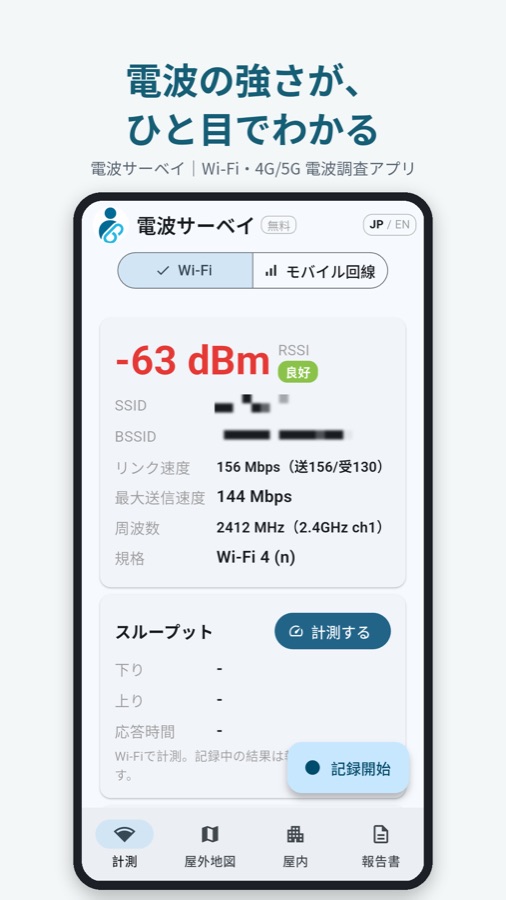
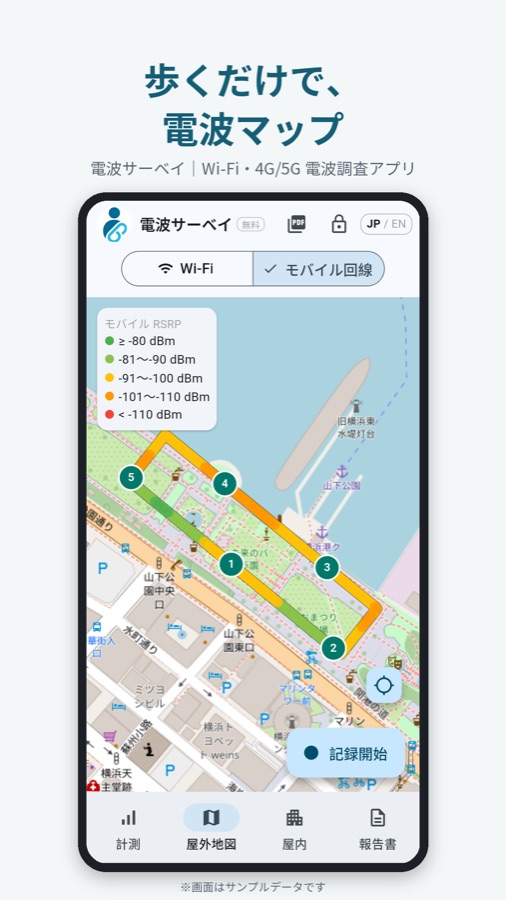
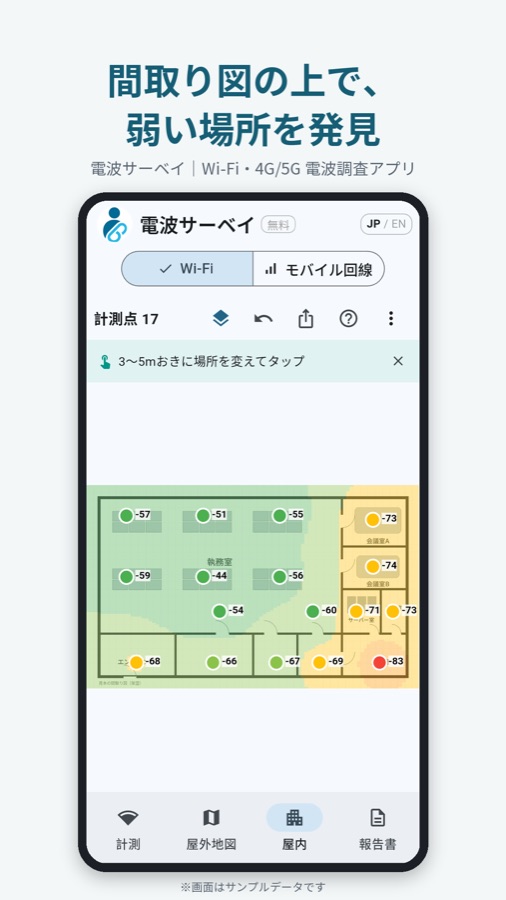
※ 画面はサンプルデータです。
30秒の紹介動画(再生すると YouTube に接続します)
参加方法(5分ほど)
- テスター用グループに参加する
下のボタンで Google グループのページを開き、次の順に押してください。
- 右上に青い「ログイン」が出ていたら押して、スマホで使っている Google アカウントでログインする(出ていなければ不要)
- 「電波サーベイ テスター」の名前の右にある「グループに参加」を押す
- 確認の画面が出たら、もう一度「グループに参加」を押す(表示名はそのままで大丈夫です)
- 「グループから退会」と表示が変われば参加できています
※「このコンテンツにアクセスする権限がありません」と出るのは、まだ参加していないためです。そのまま「グループに参加」を押してください。
- テスターになる
下のボタンでテスト参加のページを開き、次の順に押してください。このページは Google の仕様で英語で表示されます(アプリ名も「Signal Survey」と出ます)。
- 手順1と同じ Google アカウントでログインしているか確認する(右上の丸いアイコン)
- 青い「Become a tester」(テスターになる)ボタンを押す
- 「You are now a tester」(テスターになりました)と表示されれば完了です
※ グループに参加した直後は、ボタンが出るまで数分かかることがあります。
- Google Play からインストールする
手順2のページに出る「Download it on Google Play」(Google Play でダウンロード)を押し、開いた Google Play で「インストール」を押してください。
※ 公開前の審査が終わり次第、インストールできるようになります。
お願いしたいこと
- 14日間はアンインストールしないでください。Google Play で公開するための条件です。
- できれば一度、現場や自宅で使ってみてください。使いにくい点や不具合を教えていただけると助かります。
- ご意見は info@hitowave.com まで。
ご注意
- Androidスマホのみ対応です。iPhone では電波の値を取得できないため使えません。
- 手順1〜3は、スマホで使っているのと同じGoogleアカウントで行ってください。別のアカウントだと、Google Play にアプリが表示されません。
- グループのメンバー一覧は運営者しか見られない設定です。ほかの参加者にメールアドレスやお名前が見えることはありません。グループからメールが届くこともありません。
テスターへのお礼:招待コードでプロ機能を30日間無料に
ご協力いただいた方には、プロ機能(基地局リスト、自社のロゴ・社名入り報告書、詳しい表示項目など)を30日間無料で使える招待コードをお送りします。アプリ右上の「無料」から「招待コードを入力」で使えます。
よくある質問
- お金はかかりますか?
- かかりません。計測や記録に加えて、PDF報告書・Excel・KMLの書き出しも無料で、回数の制限はありません。招待コードを入れればプロ機能も30日間無料です(購入手続きは不要。一般公開後に Google Play で初めて申し込む方の「14日間無料」とは別のものです)。
- どんなデータを集めますか?
- 計測した記録はスマホの中にだけ保存され、当方のサーバーには送られません。詳しくはプライバシーポリシーをご覧ください。
- 途中でやめられますか?
- 手順2のページの「Leave the program」(テストから退出)で、いつでもやめられます。
- 「Become a tester」が見つかりません
- 手順1のグループ参加が先に必要です。また、パソコンで開く場合も、スマホと同じGoogleアカウントでログインしているか確認してください。
Signal Survey
Help us test before launch
Survey Wi-Fi and 4G/5G NR signal with one Android phone, from heatmaps on maps and floor plans to PDF reports. A site-survey app for installers and facility engineers.
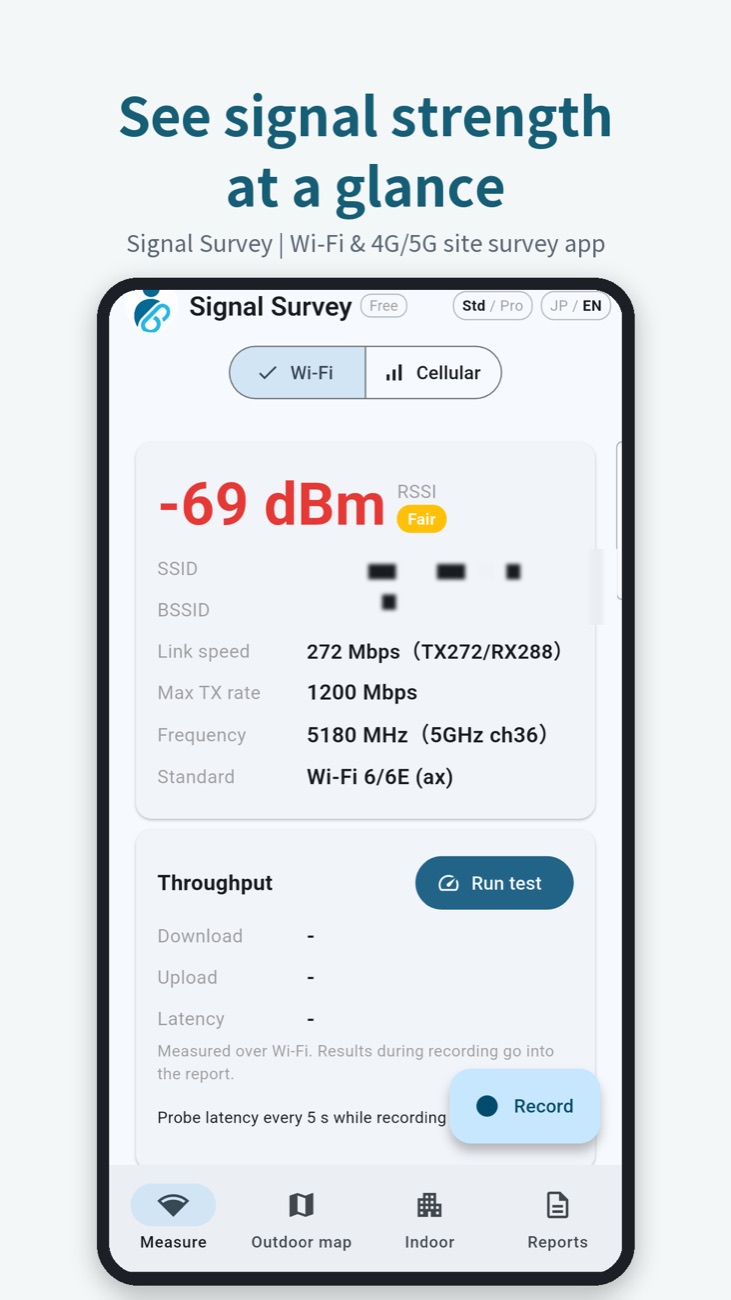
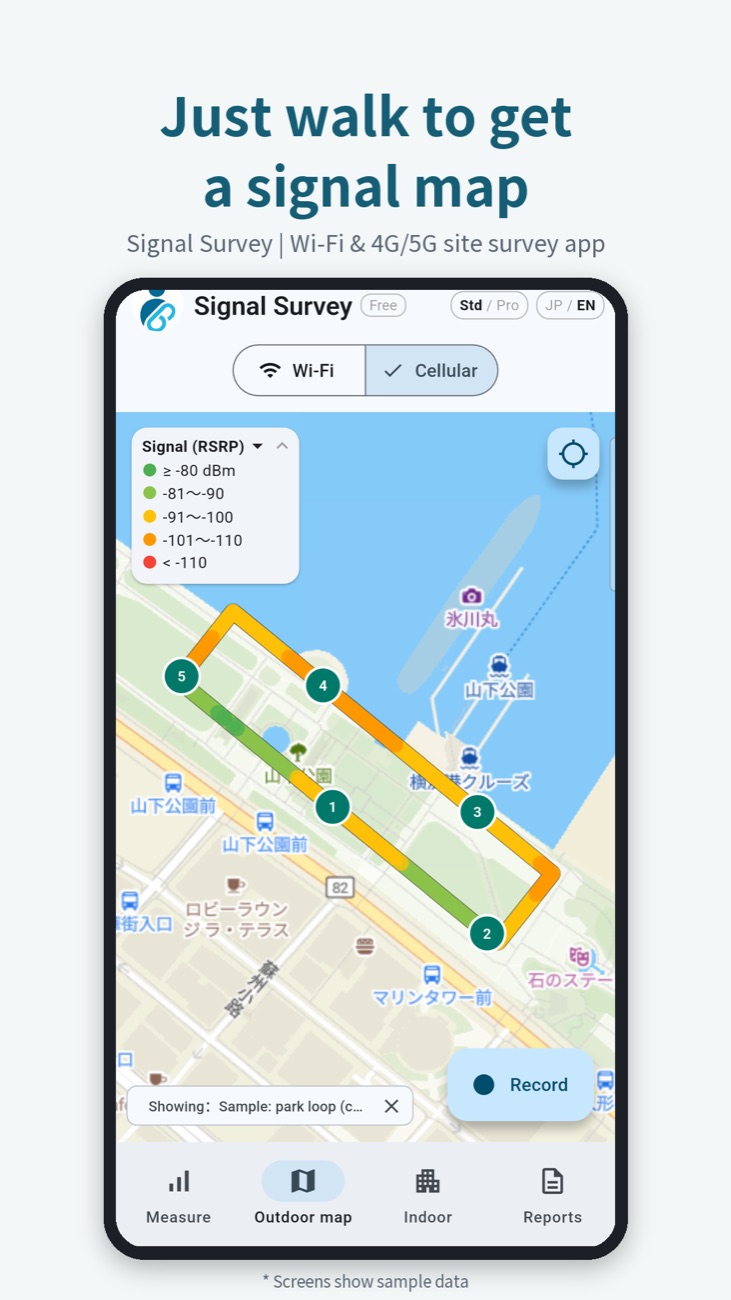
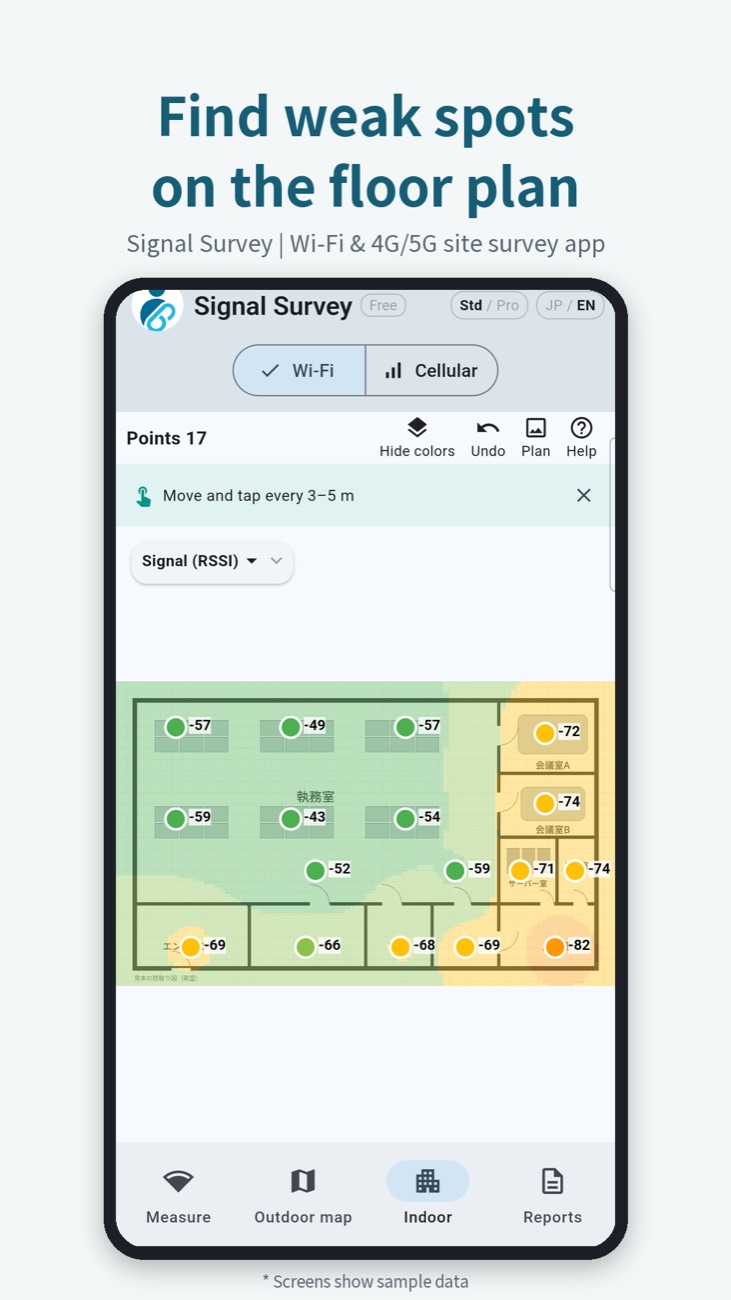
* Screens show sample data.
30-second intro video (playing it connects to YouTube)
How to join (about 5 minutes)
- Join the tester group
Open the Google Group page with the button below and tap in this order:
- If a blue "Sign in" button is shown at the top right, tap it and sign in with the Google account you use on your phone (skip if not shown)
- Tap "Join group" next to the group name
- If a confirmation appears, tap "Join group" again (you can keep the display name as is)
- When the button changes to "Leave group", you have joined
* "You don't have permission to access this content" only means you haven't joined yet. Just tap "Join group".
- Become a tester
Open the testing page with the button below and tap in this order:
- Check that you are signed in with the same Google account as in step 1
- Tap the blue "Become a tester" button
- When it says "You are now a tester", you're done
* Right after joining the group, it can take a few minutes for the button to appear.
- Install from Google Play
On the page from step 2, tap "Download it on Google Play", then tap "Install" in Google Play.
* Installation becomes available as soon as Google's review is complete.
What we ask
- Please keep the app installed for 14 days. This is a Google Play requirement for publishing.
- If you can, try it once at a site or at home, and tell us what was hard to use or didn't work.
- Send feedback to info@hitowave.com.
Notes
- Android phones only. iPhones cannot read signal values, so the app does not run on iOS.
- Do steps 1 to 3 with the same Google account you use on your phone. With a different account, the app will not appear in Google Play.
- Only the operator can see the group's member list. Other testers cannot see your email address or name, and the group does not send you emails.
Thank you gift: 30 days of Pro, free
Testers receive an invite code for 30 days of Pro features (the cell-site list, reports with your logo and company name, detailed items and more). Tap "Free" at the top right of the app, then "Enter invite code".
FAQ
- Does it cost anything?
- No. Measuring, recording, PDF reports and Excel / KML export are all free with no limit. With the invite code, Pro is free for 30 days.
- What data do you collect?
- Records stay on your phone and are not sent to our servers. See the privacy policy.
- Can I stop testing?
- Yes, any time, with "Leave the program" on the page from step 2.
- I can't find "Become a tester"
- You need to join the group in step 1 first. On a computer, make sure you are signed in with the same Google account as on your phone.